

Automation vs AI: What’s the difference? And how can you get them working together on…
How Easy Is It To Automate a WordPress Site?
Tired of doing everything yourself? Automate your WordPress site with Uncanny Automator. In less than 5 minutes, you can save 5 hours—and tons of money.
TLDR? Here’s a brief summary…
Check out the YouTube tutorial below. You could be automating your WordPress workflows in less than five minutes!
Wondering if it’s possible to automate a WordPress site? Spoiler alert: it is—and it’s easy.
From auto-publishing your latest blog posts on social media to abandoned cart notifications and (far) beyond, you can put your entire site on autopilot with Uncanny Automator.
And here’s the best part: you can get started for FREE.
In this article, I’ll walk you through how to start automating your site and show you what makes Automator the ultimate WordPress automation plugin. To cap it off, I’ll give you some ideas for getting started as well as a free tool to help you maximize your ROI from automation.
If you have 5 minutes, you can save 5 hours. Let’s get started.
Introduction to Uncanny Automator
Before we dive into automations, let’s start with the basics.
WordPress automation is exactly what it sounds like—getting your website to do the busywork for you. Instead of manually posting to social media, updating records, or sending emails every time something happens on your site, automation lets you build simple “if this, then that” workflows.
For example:
- If someone buys a product → then tag them in your CRM.
- If a student completes a course → then enroll them in the next one.
- If you publish a post → then share it on LinkedIn.
In Uncanny Automator, each of those workflows is called a recipe: a combination of triggers and actions that connect your apps and plugins to execute workflows.
Automator is the #1 no-code WordPress automation and integration plugin, getting your tech stack to work together. You don’t need to code, hire a developer, or (most importantly) pay any money. Just click, connect, and let Automator handle the rest.
So, what makes Automator so powerful?
Key Features of Uncanny Automator
When it comes to WordPress automation tools, the good news is that you have plenty of options. From Zapier to IFTTT, there’s no reason you should be performing manual tasks on your WordPress site.
However, there are some key features that set Uncanny Automator apart from other integration and automation tools. Whether it’s affordability for solopreneurs or powerful addons and AI agents for large businesses, Automator has a lot to offer.
With all that flexibility, Automator isn’t just another WordPress plugin—it’s the bridge that connects your entire website. Whether you’re a blogger, shop owner, developer, teacher, or marketer, Automator helps you do more in less time.
And the best part? You can start automating your site right now—for free.
Get Started in Under 5 Minutes >>>
Creating Your First Automator Recipe
Automating your WordPress site begins with creating your first Automator recipe. In this section, I’ll walk you through a simple recipe that adds a user to a BuddyBoss group when they purchase a specific WooCommerce product.
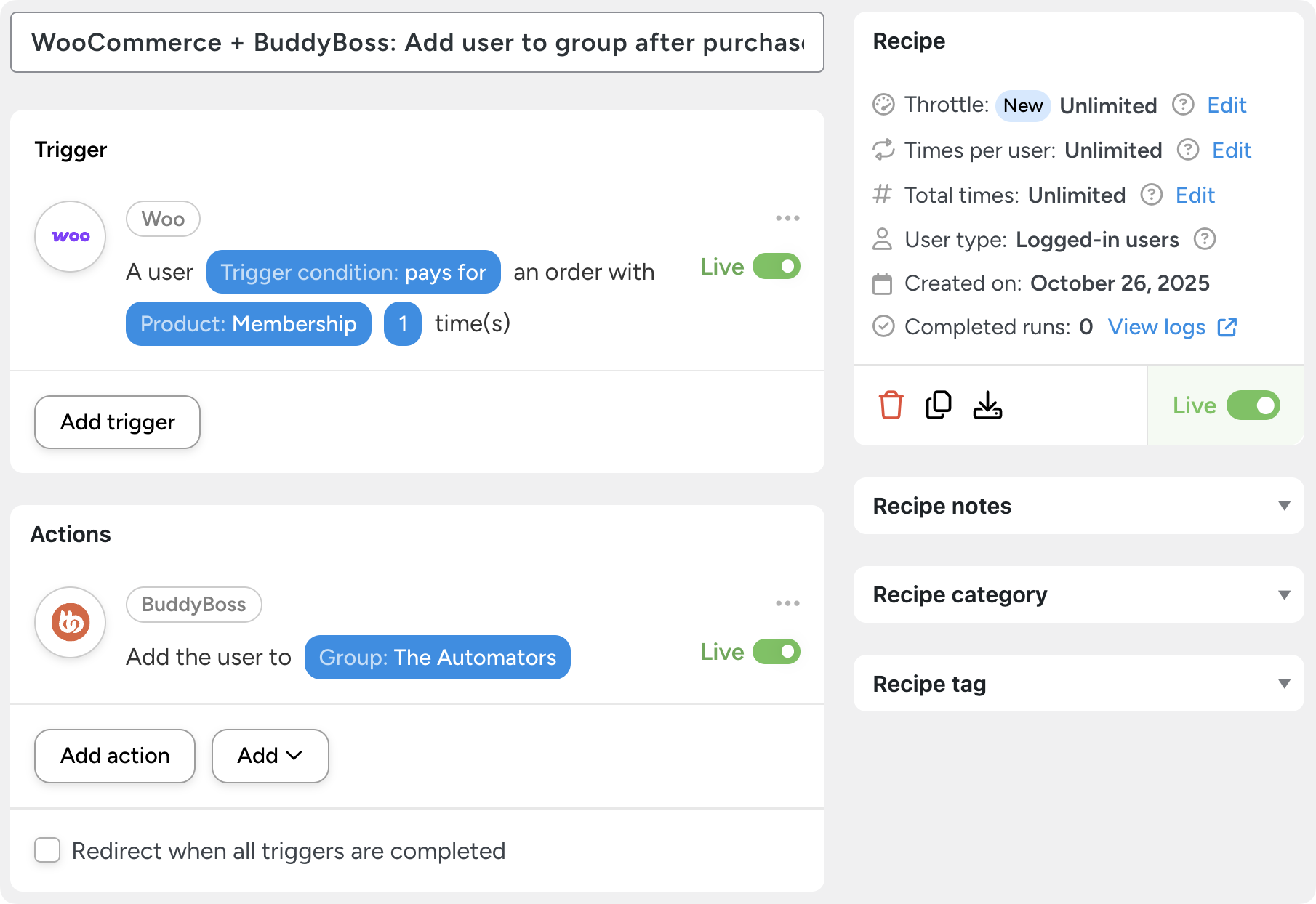
You might not want to create this exact recipe, but the same general steps will apply to all of your automations.
Step 1: Install and Activate Uncanny Automator
If you haven’t already purchased your Automator license, you can get started for free.
From your WordPress Admin Dashboard, navigate to Plugins > Add Plugin. Enter “uncanny automator” in the search bar then click Install and Activate.

Step 2: Create and Name a New Recipe
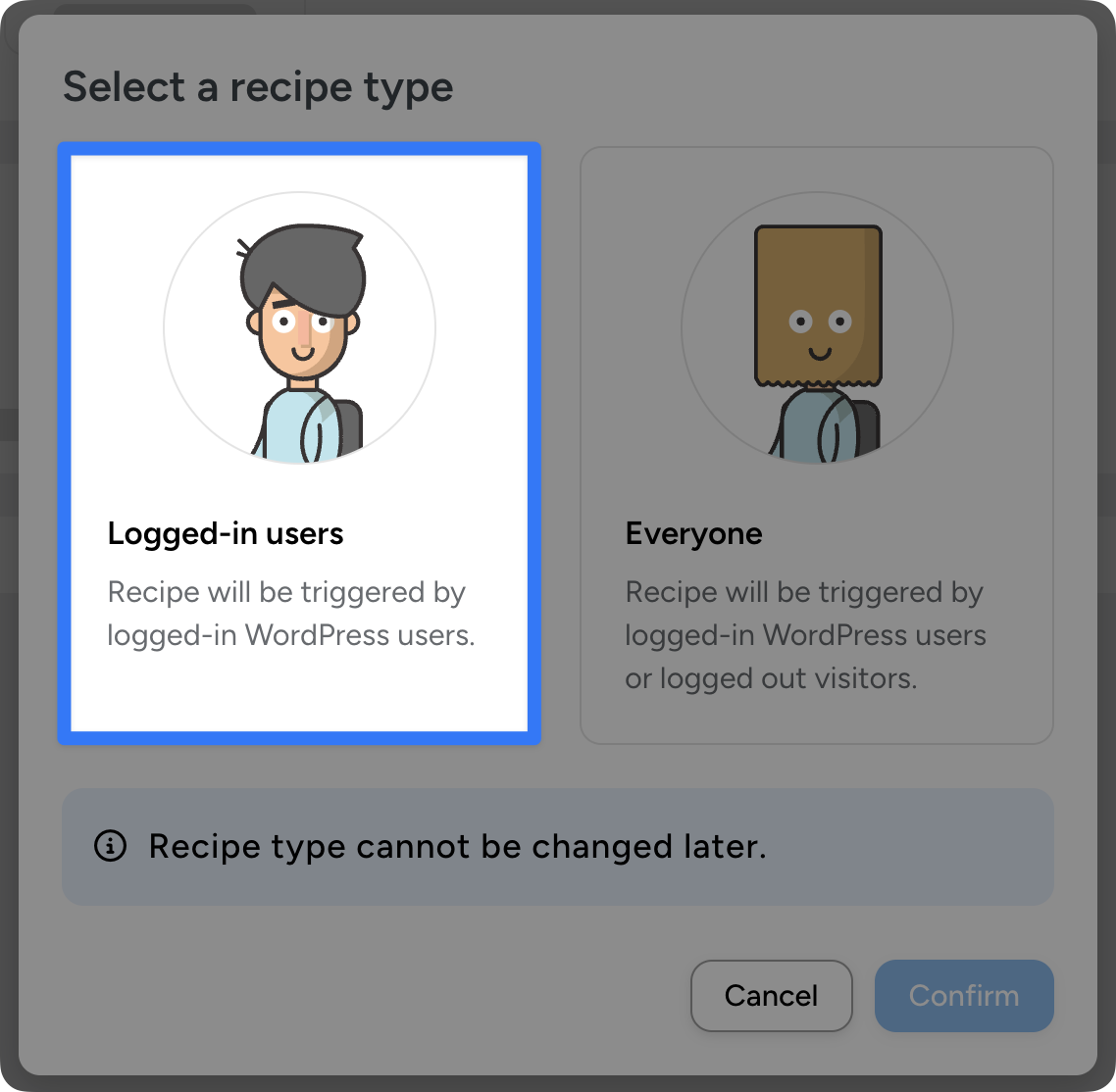
With Automator installed and activated, navigate to Automator > Add new plugin. In the modal that appears, select Logged-in users.
Next, give your recipe a name that makes it easy to recognize at a glance. For example, I have named this recipe, “WooCommerce + BuddyBoss: Add user to group after purchase”.
Step 3: Configure Your Trigger
The next step is to set up your trigger. This is the event or user action that will set the automation into motion.
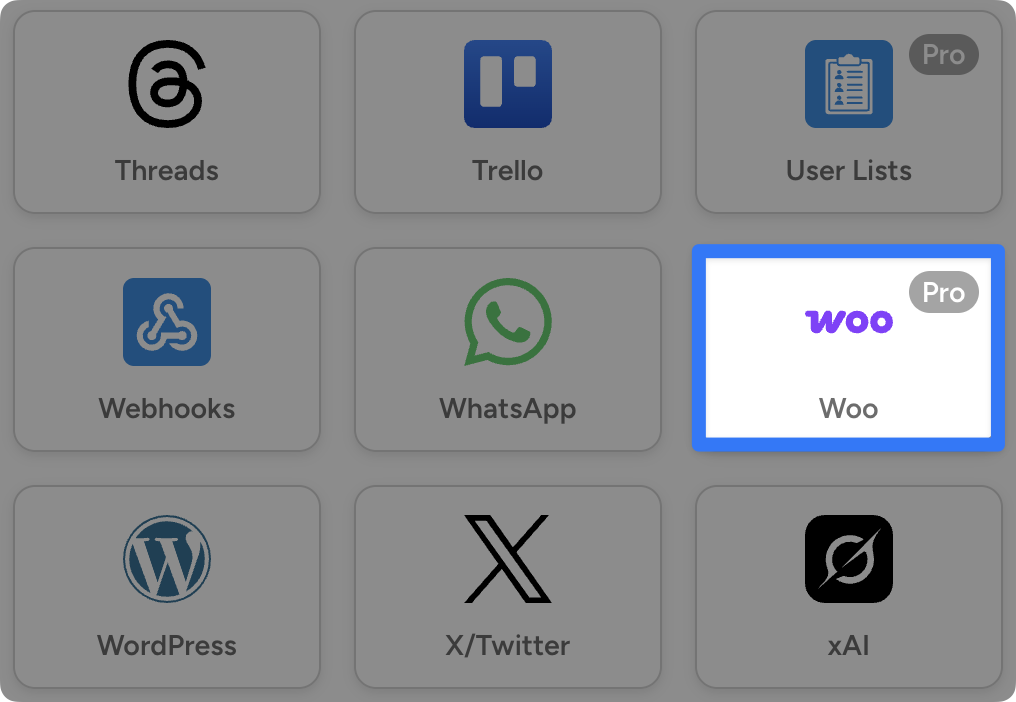
In the Trigger panel, from the menu of available integrations, select Woo.
From the dropdown list that appears, select the trigger, “A user purchases a product”.
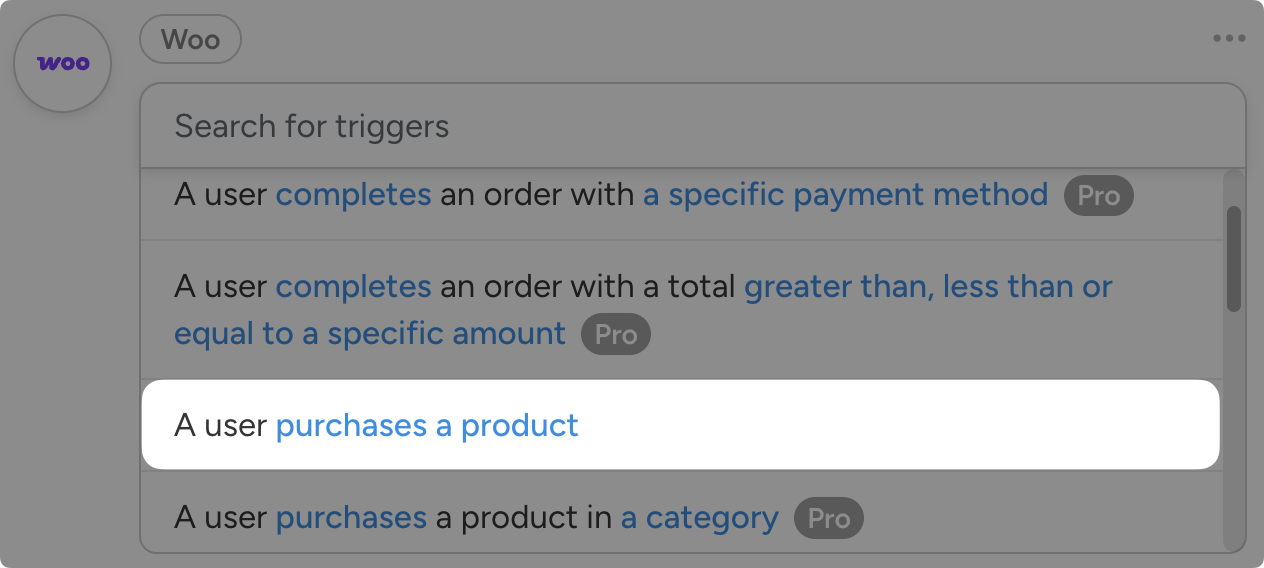
Automator will prompt you to select a trigger condition and a product. Once you’re finished, click Save.
Step 4: Configure Your Action
Now it’s time to determine what should happen as a result of the trigger event. This is the “action”.
In the Actions panel, click Add action and select BuddyBoss.
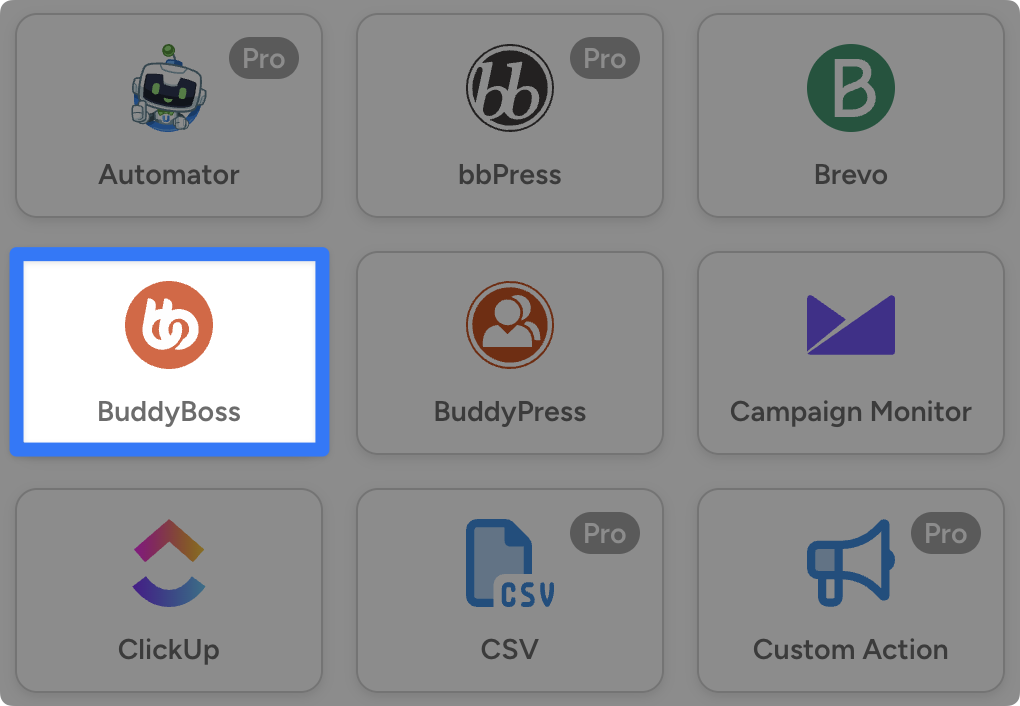
From the dropdown list that appears, select “Add the user to a group”.
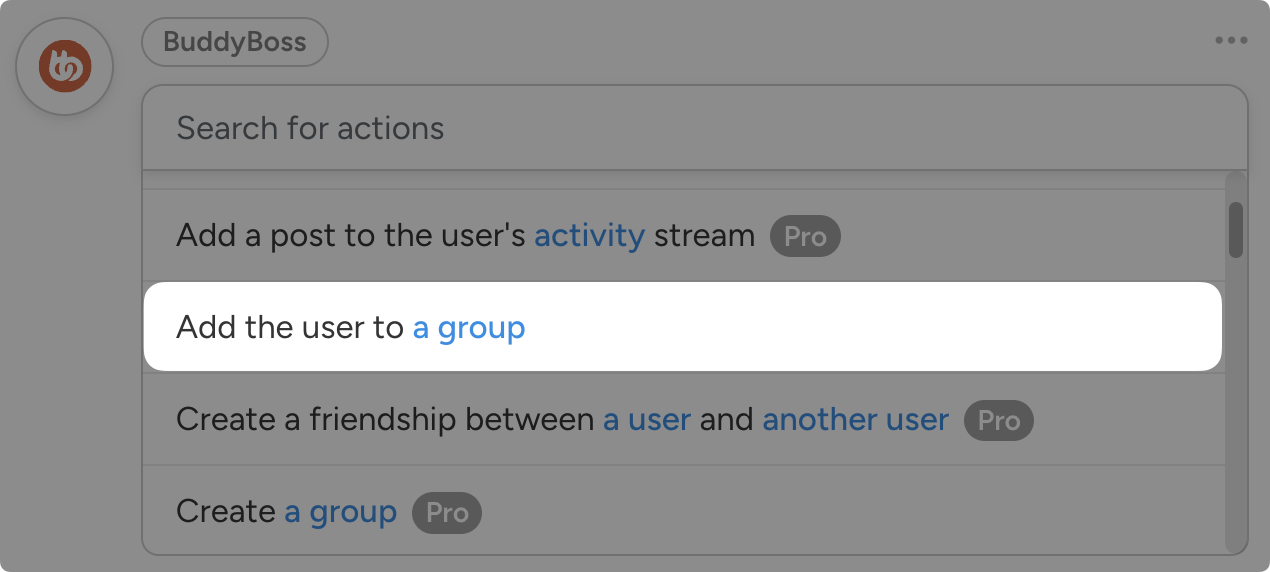
Automator will prompt you to select a group. Once you’re finished, click Save.
Step 5: Go Live!
You’re just about ready to cook up some time savings with your first recipe. All that’s left for you to do is toggle the recipe from Draft to Live.
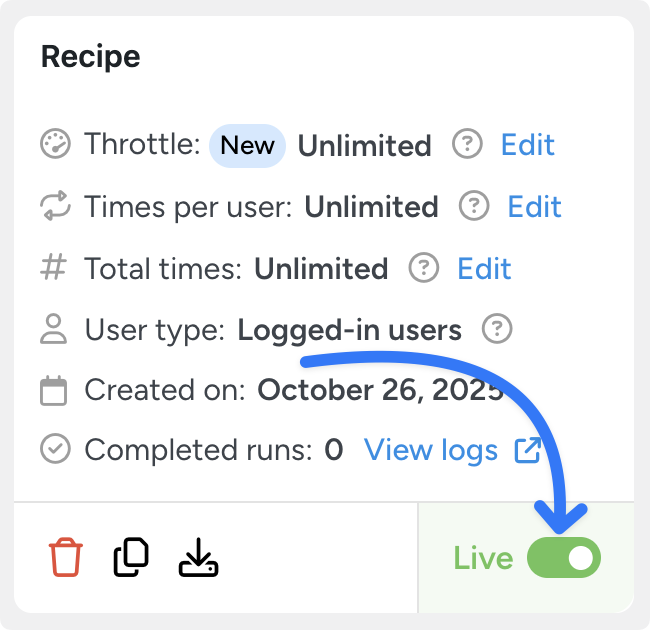
That’s it! In just 5 simple steps (and less than 5 minutes), you’ve created a totally FREE automation to help you run your WordPress site.
Believe me when I say, this is just the beginning of your time-saving journey. Keep creating more Automator recipes to rack up more time savings and reduce your costs.
More Ways to Automate Your WordPress Site
Automations shouldn’t just help you do what you already do. They should open up a world of all new possibilities.
New lead generation strategies. New, higher-engagement touchpoints. New product and service offerings. New site features. New revenue streams.
To help you get started, here are some great recipe ideas and use cases.
Blogging and Content Automations for WordPress
eCommerce Automations for WordPress
eLearning and Membership Automations for WordPress
The R.I.C.H. Framework
Still looking for ways to automate your WordPress site? Here, at Automator, we’ve developed a framework for identifying tasks you can (and should) be automating.
The idea is simple: think R.I.C.H.:
- Repetitive: Tasks, particularly unavoidable ones, that you perform over and over again. For example, transactional emails, marketing emails, and inventory management.
- Iterative: Tasks that you can and/or do perform across any measurable number of customers, products, posts, pages, etc. or a subset thereof. These tasks usually include workflows such as product updates and customer/member onboarding. They can also include popups and customer segmentation.
- Costly: Tasks that consume significant resources, namely time and money. For example, data entry and lead validation are both costly workflows, primed for automation.
- Hard: Tasks that are complex and prone to human error. These workflows are usually operational in nature such as data entry and generating sales reports.
Need some help getting started? Install Automator to get the FREE R.I.C.H. framework to maximize your ROI.
Frequently Asked Questions

Related Posts







































































This Post Has 0 Comments